Creating Deployments
In order to have messages set to customers, deployments must be created to manage the messages being sent to customers.

Creating a New Deployment
To create a new deployment:
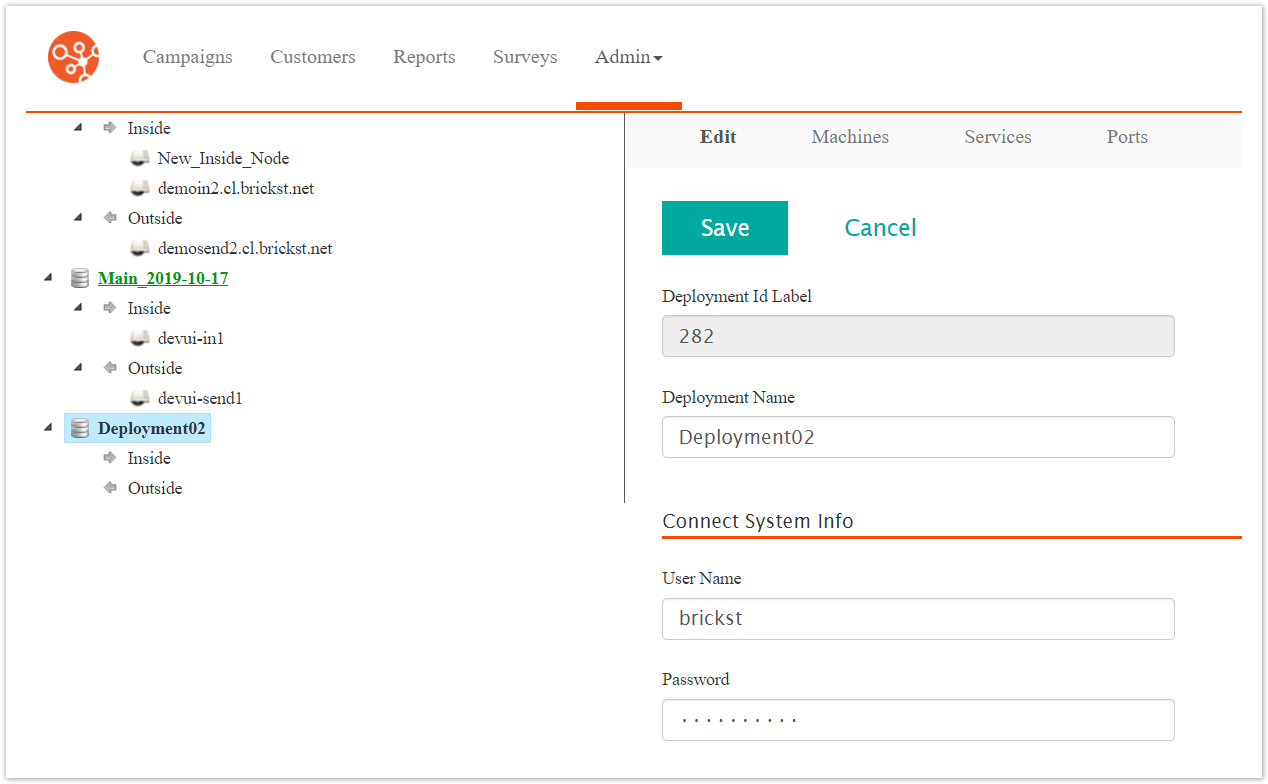
Navigate to the Deployments screen. The Deployment Editor screen displays.
Click the Create Deployment button. The Create Deployment screen appears.

Enter a unique name for the deployment in the Deployment Name field.
In the Socialism Mode Settings section optionally give Connect time to execute all pending instances regardless of priority, enter the following information:
Interval (Minutes): The interval in minutes to run Socialism Mode. Value 0 means it is disabled
Duration (Minutes): The duration in minutes that Socialism Mode executes.
In the Connect System Info section, enter the following information:
User Name: The user name of the system administrator accessing the deployment
Password: The password used for the user name of the system administrator accessing the deployment
Connect Deployment Base Directory: The path to the directory for the deployment
Base Listening Port for Components: Port number for components
In the S/FTP Info section, enter the following information:
User Name: The user name for the FTP application
Password: The password for the user name of the FTP application
To cancel without saving the deployment, click the Cancel button. The Deployment Editor screen appears. The deployment is not saved.
Click the Save button. The Deployment Details screen displays. The new deployment displays in the left-side bar with the other deployments.