Configure Baidu Delivery Channel in the Connect UI
In the Connect UI, go to Company Admin -> Campaigns -> Delivery Channels. In the Command menu, select New Delivery Channel.
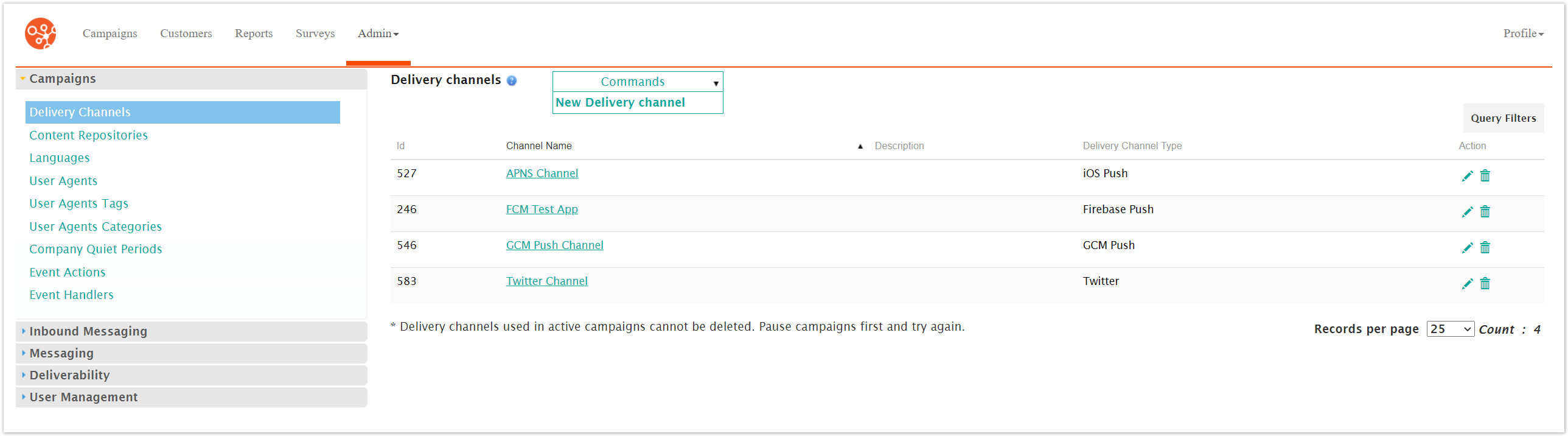
The Enter Delivery Channel Information screen will appear. The top section of the screen contains generic information about the delivery channel.
Name
Type - should be set to 'Baidu'
Address Attribute ID - should be set to the customer attribute that will contain the Channel ID for the mobile app
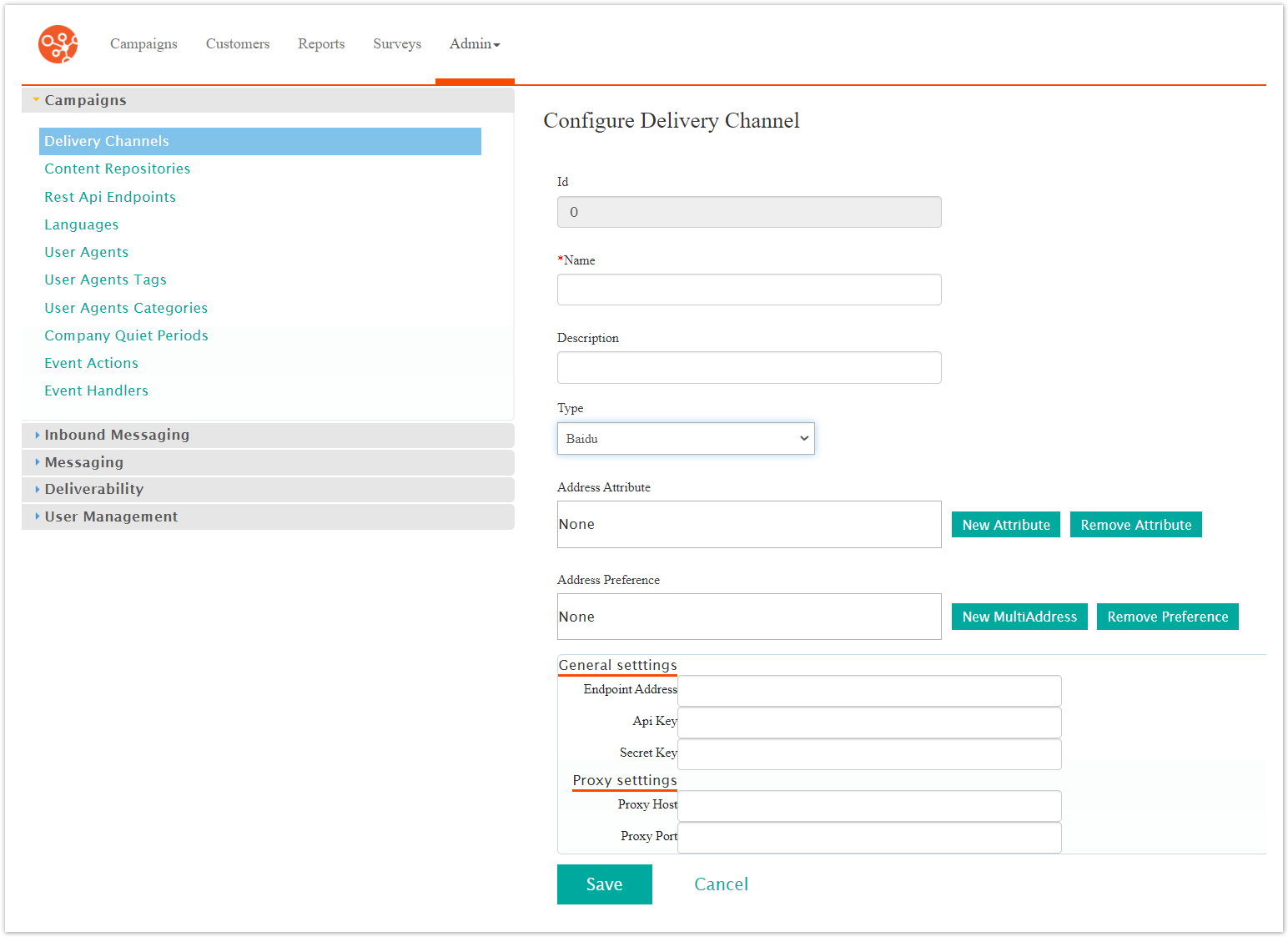
The API Key /Secret Key is the identifier for the Android app from the Baidu Console Page.
The proxy settings are optional.
Click Save to save the delivery channel configuration.