Audiences
In the same way that Connect associates campaigns to conversations (the maximum number of customers that can be messaged), audiences are used to remove people that should not be messaged as part of the campaign. The audience model removes these people from the conversation and using filters allows you to message only the target "audience" of customers with the campaign. As a result, only customers meeting the audience filter criteria will receive messages from the associated campaign.
Note: Only one audience model can be associated with a given campaign.
The Audience screen is where you identify the groups of people you want to reach with your campaign. From this tab, you can create a new audience model, edit an existing audience model, copy an audience model, or delete an audience model.
Audiences are able to be filtered out of the conversation using several different customer attributes and statistics:
Customer Attributes: Attributes associated directly with the customer entity (e.g., city of residence, gender)
Recency Statistics: Statistics tracking the customer's recent behaviour when receiving messages (e.g., links clicked, conversions from messages)
Frequency Statistics: Statistics tracking the overall interaction with the customer (e.g. total number of messages sent to customer, percentage of links clicked)
Monetary Values: Statistics tabulating the value of business represented by the customer (e.g. total value of customer conversions, total value of conversions from customer referrals)
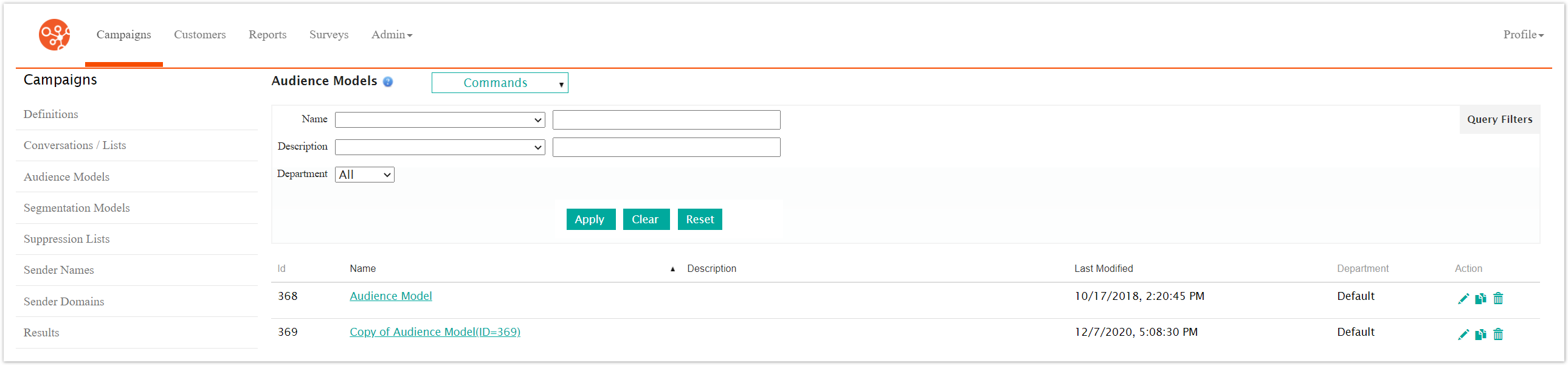
The table displays the following information:
Name: The name for the audience model
Description: A user-defined description for the audience
Last Modified: The latest date on which the audience was modified
Department: The department that the audience is associated to. This is determined by the department of the user who created the audience model.