Editing Messages
Once a message is created, you are able to edit the details of the message prior to the message being launched. Once a message is launched, it is locked and should not be edited.
Note: .In cases where you must edit the details of the message after it has launched, you are able to unlock the message by clicking the Unlock button ( ). Once the edits are performed, you are able to lock the message once again by clicking the Lock button (
 )
)

Editing a Message
To edit a message:
Navigate to the Messages screen for the desired campaign.
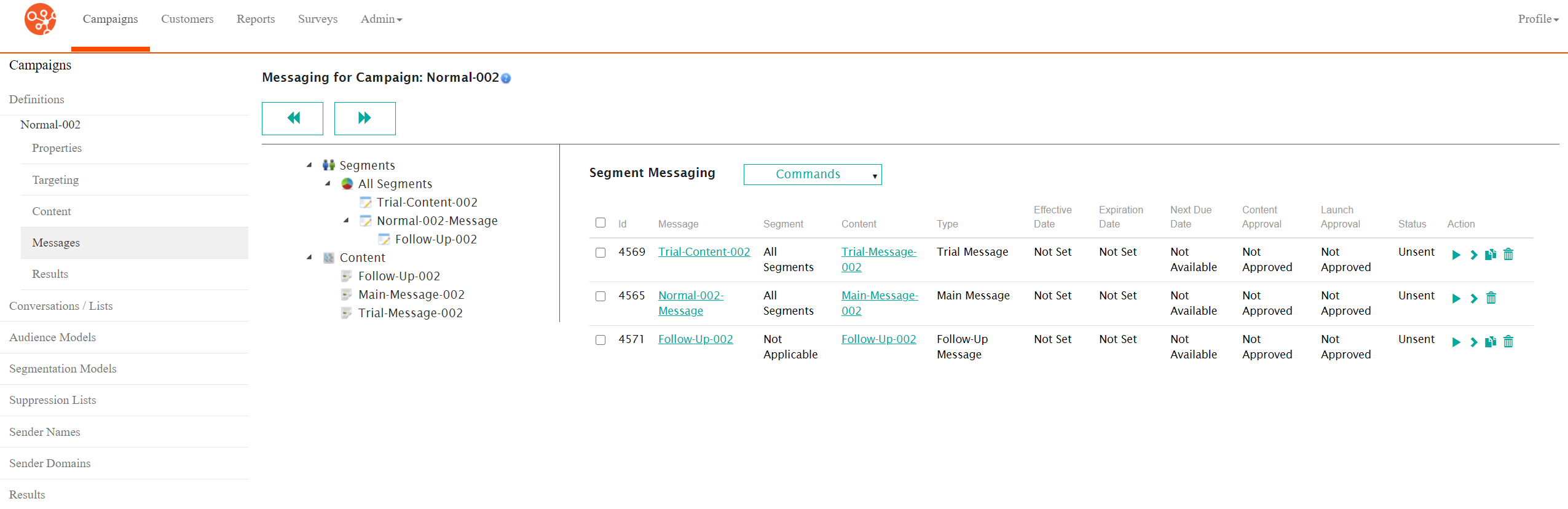
Select the desired message in the Segment Messaging screen by clicking on the messages Message hyperlink. The Configure Message to Segment screen appears displaying the message details.

Perform the necessary updates as required. For details on the information that needs to be updated for the different types of messages, please see:
Configure the bounce and reply handler information. For more information on the details of bounce and reply handlers that can be edited, please see Configuring Bounce and Reply Handling Messages.
To cancel without saving any changes to the message, click the Cancel button. The Messages screen displays without any changes being saved.
Click the Save button. The changes to the message are saved.